
Session Preparation & Reminders
Automatically send preparation questionnaires and session reminders so every coachee arrives ready — and no time is wasted.
Save time between sessions, gain complete oversight of every coachee's progress,
and automate the workflows that keep clients engaged and coming back.
Automatically send preparation questionnaires and session reminders so every coachee arrives ready — and no time is wasted.
Trigger tasks, assignments, and educational content automatically — configured once, delivered at exactly the right moment for each coachee.
Get a clear view of every client's journey in one place — boosting engagement, loyalty, and the measurable impact of your coaching.
The most impactful sessions start before the call begins. Send automated preparation questionnaires, set the agenda, and trigger the right content at the right moment — so every session moves the needle.
Momentum stalls when nothing happens between meetings. Automatically assign tasks, reminders, and educational content that keep coachees progressing — and coming back more committed than ever.
Design your branded environment, upload your content, and set the rules that power your entire program.
Reminders, prep questionnaires, tasks, and educational content fire automatically at the right moment.
Clients complete tasks, consume content, and arrive at sessions prepared — no chasing required.
Full oversight of every coachee drives higher satisfaction, better outcomes, and lasting client loyalty.
One dashboard to run your entire coaching practice — automated, organised, and always on.

You spend more time preparing sessions than running them.
The platform automatically collects coachee updates, surfaces relevant notes, and generates session highlights so you walk in informed and focused — every time.

Coachees arrive unprepared and you lose precious session time catching up.
Automated questionnaires and reminders go out to coachees ahead of every session — so they reflect, prepare, and arrive with intention. Your time together goes further.

Momentum stalls the moment a session ends.
Deliver articles, videos, podcasts, and tasks automatically — triggered at the right moment in each coachee's journey. Your coaching impact extends far beyond the hour you spend together.
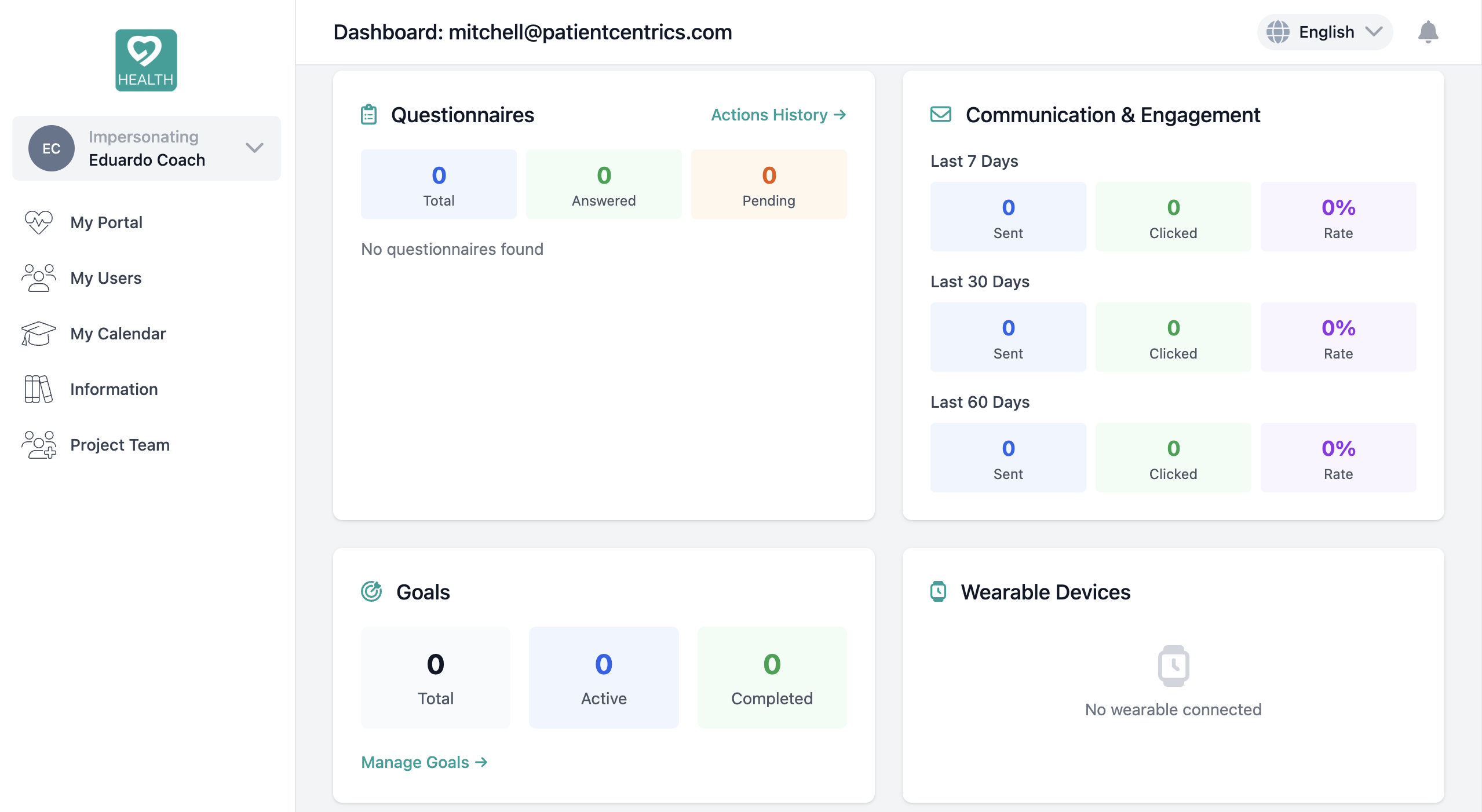
You have no clear picture of how each coachee is progressing between sessions.
Your dashboard gives you a live view of task completion, content engagement, goal progress, and session history across all your coachees. Nothing falls through the cracks.

Reaching coachees individually or as a group takes too many tools and too much time.
Send targeted or broadcast messages via email or push notification directly from your dashboard. No switching between platforms, no lost threads — just clean, professional communication.

Your coaching practice has no single home — it's scattered across apps, emails, and spreadsheets.
Build your own coaching space with your brand, your content, and your workflows — complete with a shared calendar, consultation reminders, goal setting, and data export. Set it up once, and let the platform run it for you.
The coaches who retain clients longest don't just run great sessions — they create an environment that keeps clients engaged, prepared, and invested in their own growth. Here's how your coachees experience your coaching practice.
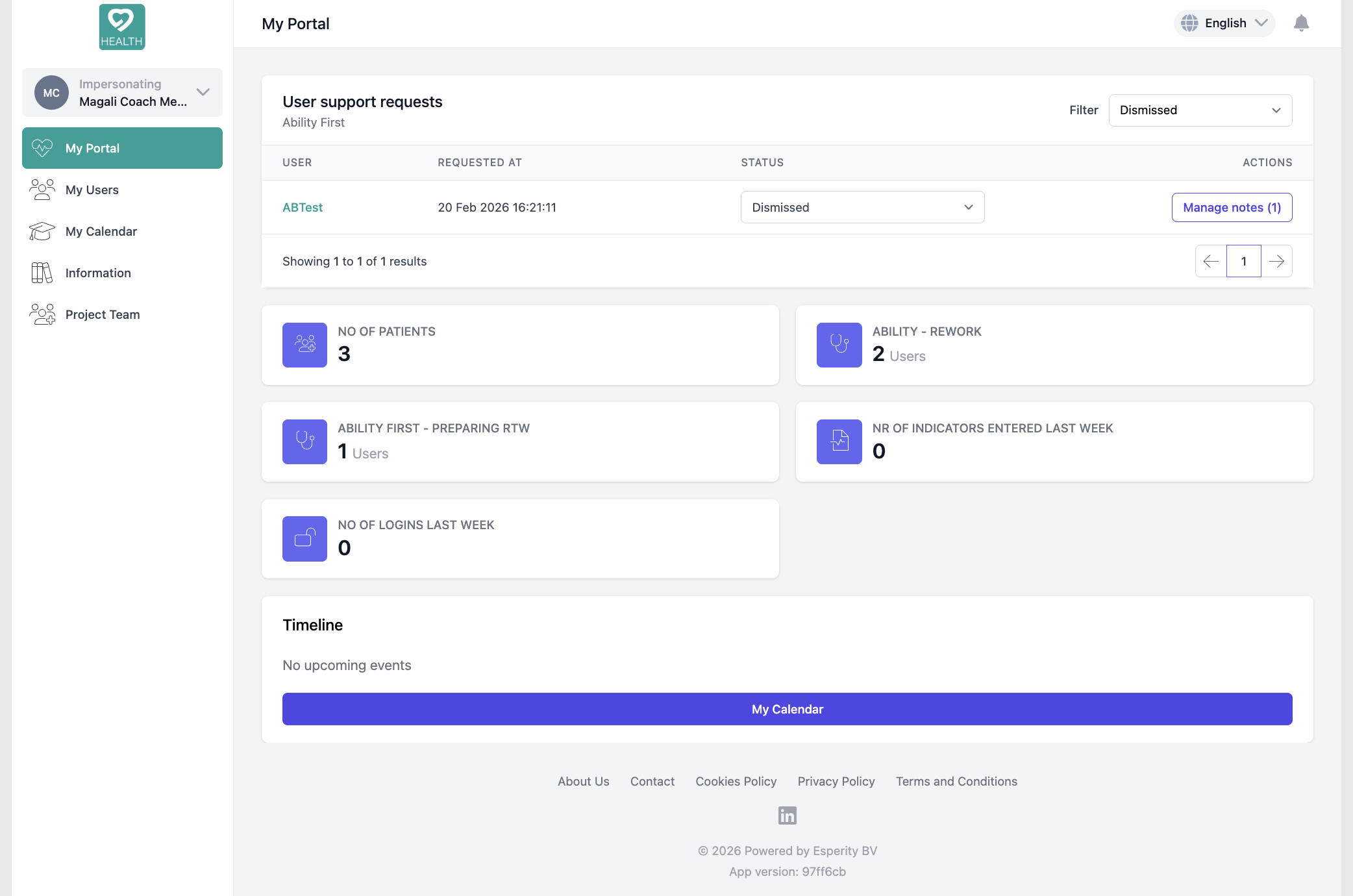
The moment your coachee logs in, they see their journey. The content you've chosen for them, the goals you've set together, the tasks waiting for their attention. Not a generic feed — a curated, purposeful space that makes every coachee feel like your only client.
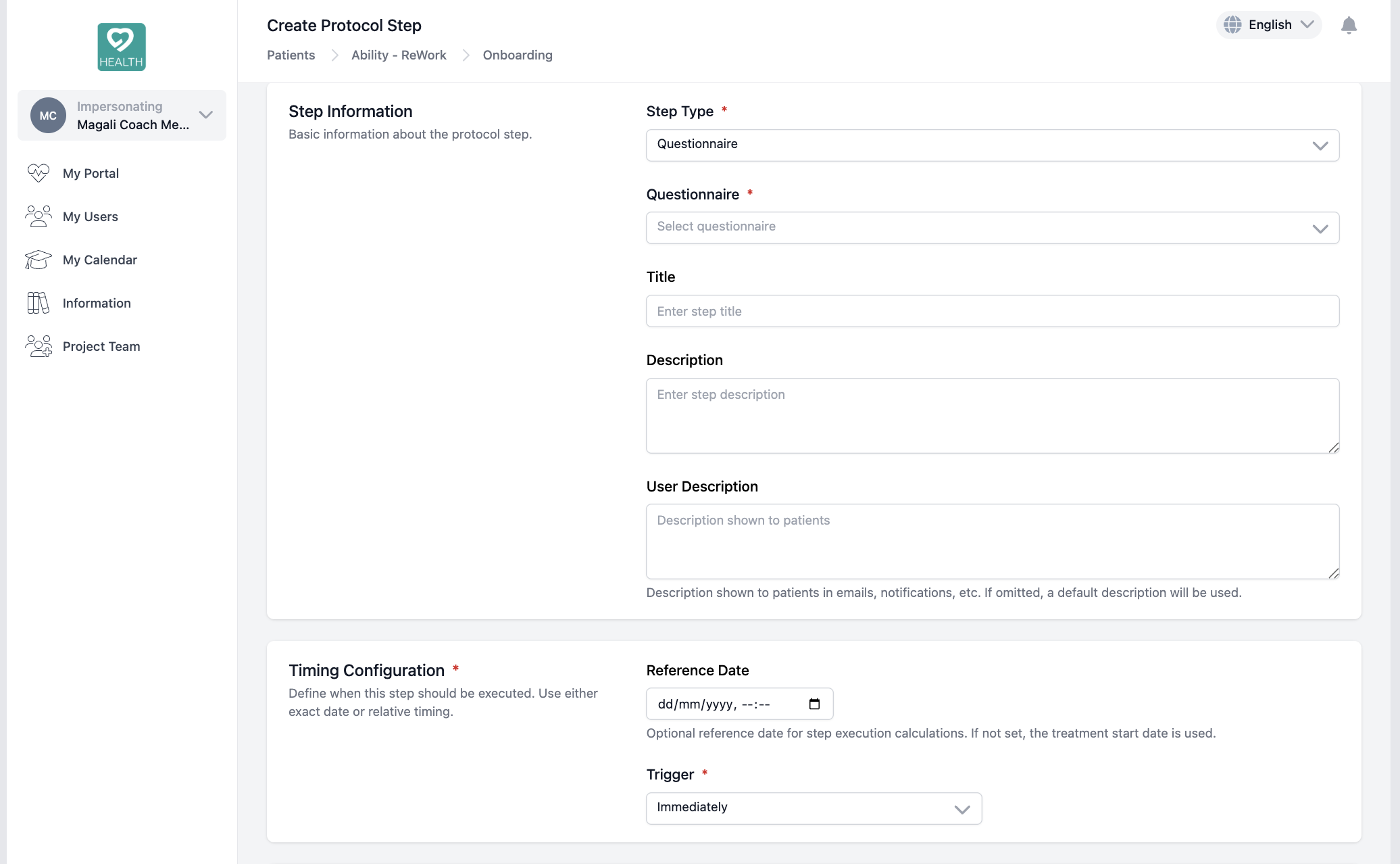
Missed appointments and unprepared clients cost you time and credibility. With automated preparation forms sent before every session, your coachees reflect, set their intentions, and arrive ready to do the work. The result? Sharper sessions, stronger outcomes, and coachees who genuinely look forward to showing up.

The coaches who build lasting practices aren't just great at what they do — they own their brand. With full white-labelling, your coachees download your app, see your logo, and live inside your coaching world. When renewal time comes, switching feels unthinkable. That's not just branding — that's retention by design.
The coaches your clients recommend don't just deliver results —
they deliver an experience.
Give your coachees a space they're proud to use, a preparation ritual they trust, and a brand they associate with their own growth. That's how good coaches become the only coach their clients ever recommend.
Everything you need to know about setting up your coaching environment.
Most coaches are up and running within a single session. You configure your branding, upload your content, and define your triggers once — the platform handles everything automatically from there.
Absolutely. You can upload your own exercises, frameworks, videos, and reading material — then configure exactly when and to whom each piece of content is automatically delivered throughout the coaching journey.
You set the rules once and the platform does the rest. Coachees automatically receive session reminders and preparation questionnaires at the cadence you define — so they arrive ready and you walk in with the context you need.
Yes. You get a full overview of every coachee's journey — task completion, content engagement, and session history — all in one place, so no detail falls through the cracks between sessions.
Coaches using a structured, automated environment consistently report higher coachee satisfaction, stronger between-session engagement, and improved client loyalty — the natural result of delivering a more professional and consistent coaching experience.
How It Works
A fully automated cycle that keeps coaches in control and coachees engaged — between every session, not just during it.
Set up your branded space once — define your program structure, upload your content library, and configure the triggers and workflows that will run automatically for every coachee.
Preparation questionnaires, session reminders, task assignments, and educational content are triggered automatically — reaching each coachee at exactly the right moment without any manual effort.
Coachees complete prep questionnaires, work through assigned tasks, and consume curated content — arriving to each session more prepared, more motivated, and with real progress to discuss.
With full oversight of every coachee's progress, coaches step into sessions with the context they need to make a real impact — driving better outcomes, higher satisfaction, and lasting client loyalty.
COACHING PLANS
Start for free, grow with Pro, or go fully branded with Premium. All plans include your own coaching environment.
Get started with your own coaching space — no credit card required.
For coaches ready to scale their impact with full automation and AI-powered session prep.
Need more capacity? Additional coachees available at €10 per 20 users.
Your brand, your app, your platform — fully white-labelled and built to scale without limits.
Bd Brand Whitlock 108, 1200 Woluwe-Saint-Lambert, Belgium
Subscribe to our newsletter
To provide the best experiences, we use technologies such as cookies to store and/or access device information. Consent to these technologies will allow us to process data such as browsing behavior or unique identifiers on this site. Not consenting or withdrawing consent may negatively affect certain features and functions.
Esperity
We firmly believe that the internet should be available and accessible to anyone, and are committed to providing a website that is accessible to the widest possible audience, regardless of circumstance and ability.
To fulfill this, we aim to adhere as strictly as possible to the World Wide Web Consortium’s (W3C) Web Content Accessibility Guidelines 2.1 (WCAG 2.1) at the AA level. These guidelines explain how to make web content accessible to people with a wide array of disabilities. Complying with those guidelines helps us ensure that the website is accessible to all people: blind people, people with motor impairments, visual impairment, cognitive disabilities, and more.
This website utilizes various technologies that are meant to make it as accessible as possible at all times. We utilize an accessibility interface that allows persons with specific disabilities to adjust the website’s UI (user interface) and design it to their personal needs.
Additionally, the website utilizes an AI-based application that runs in the background and optimizes its accessibility level constantly. This application remediates the website’s HTML, adapts Its functionality and behavior for screen-readers used by the blind users, and for keyboard functions used by individuals with motor impairments.
If you’ve found a malfunction or have ideas for improvement, we’ll be happy to hear from you. You can reach out to the website’s operators by using the following email
Our website implements the ARIA attributes (Accessible Rich Internet Applications) technique, alongside various different behavioral changes, to ensure blind users visiting with screen-readers are able to read, comprehend, and enjoy the website’s functions. As soon as a user with a screen-reader enters your site, they immediately receive a prompt to enter the Screen-Reader Profile so they can browse and operate your site effectively. Here’s how our website covers some of the most important screen-reader requirements, alongside console screenshots of code examples:
Screen-reader optimization: we run a background process that learns the website’s components from top to bottom, to ensure ongoing compliance even when updating the website. In this process, we provide screen-readers with meaningful data using the ARIA set of attributes. For example, we provide accurate form labels; descriptions for actionable icons (social media icons, search icons, cart icons, etc.); validation guidance for form inputs; element roles such as buttons, menus, modal dialogues (popups), and others. Additionally, the background process scans all the website’s images and provides an accurate and meaningful image-object-recognition-based description as an ALT (alternate text) tag for images that are not described. It will also extract texts that are embedded within the image, using an OCR (optical character recognition) technology. To turn on screen-reader adjustments at any time, users need only to press the Alt+1 keyboard combination. Screen-reader users also get automatic announcements to turn the Screen-reader mode on as soon as they enter the website.
These adjustments are compatible with all popular screen readers, including JAWS and NVDA.
Keyboard navigation optimization: The background process also adjusts the website’s HTML, and adds various behaviors using JavaScript code to make the website operable by the keyboard. This includes the ability to navigate the website using the Tab and Shift+Tab keys, operate dropdowns with the arrow keys, close them with Esc, trigger buttons and links using the Enter key, navigate between radio and checkbox elements using the arrow keys, and fill them in with the Spacebar or Enter key.Additionally, keyboard users will find quick-navigation and content-skip menus, available at any time by clicking Alt+1, or as the first elements of the site while navigating with the keyboard. The background process also handles triggered popups by moving the keyboard focus towards them as soon as they appear, and not allow the focus drift outside it.
Users can also use shortcuts such as “M” (menus), “H” (headings), “F” (forms), “B” (buttons), and “G” (graphics) to jump to specific elements.
We aim to support the widest array of browsers and assistive technologies as possible, so our users can choose the best fitting tools for them, with as few limitations as possible. Therefore, we have worked very hard to be able to support all major systems that comprise over 95% of the user market share including Google Chrome, Mozilla Firefox, Apple Safari, Opera and Microsoft Edge, JAWS and NVDA (screen readers).
Despite our very best efforts to allow anybody to adjust the website to their needs. There may still be pages or sections that are not fully accessible, are in the process of becoming accessible, or are lacking an adequate technological solution to make them accessible. Still, we are continually improving our accessibility, adding, updating and improving its options and features, and developing and adopting new technologies. All this is meant to reach the optimal level of accessibility, following technological advancements. For any assistance, please reach out to